How to Make a Rap Video With Two Photos: 4 Stages and Cost
Choose portraits, preview four real RapVids stage samples, and check the credit cost before creating a vertical rap duet.
Start with one clear portrait of yourself and one of your partner. You can use photos taken separately. Pick a scene, choose what the two of you will rap, and review the credit quote before generating.
See the stage previews on the RapVids AI rap video generator.
1. How to pick the two photos
Use one adult per photo and get permission from both people. Choose JPG, PNG, or WebP files of at least 512 × 512 pixels and at most 10 MB each. A front-facing photo with even lighting makes the face easier to see. In the creator, add one photo to each slot and use Swap people if the lead is on the wrong side.
2. What the four rap video stages look like
Each example below uses a different pair of fictional adult performers. Choose the scene based on the mood you want for your own video.
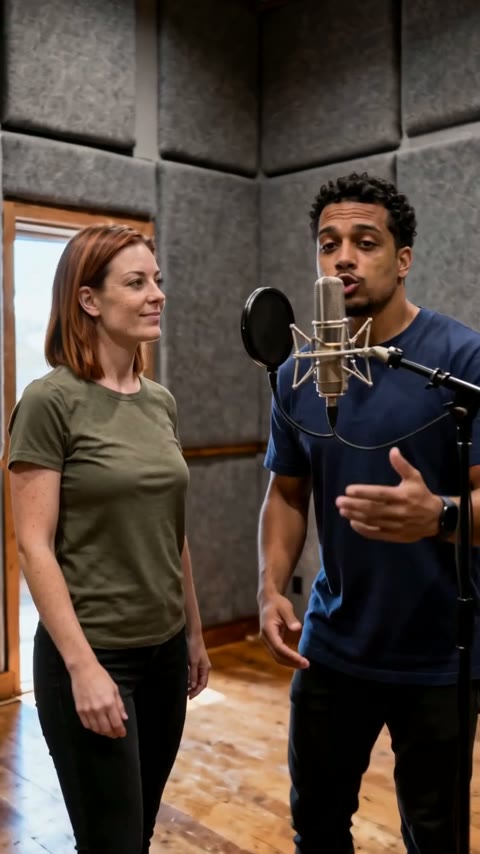
- Studio Booth shows a full 12-second recording-room take with sound.
- Orange Room shows a warm backdrop and a tight two-person composition.
- Luxury Lobby shows a polished indoor setting with warm lighting.
- Street Cypher shows an outdoor look with neon accents.
3. How much a 12-second rap video costs
Enter a topic for an AI verse, edit the lyrics, or upload your own audio. For a short vertical clip, start with 9:16 and 12 seconds. The review shows the selected scene, sound, video settings, and the cost before you confirm generation.
A 480p, 12-second take uses 10 credits. The same length at 720p uses 22 credits. If you start with zero credits, the smallest packs that cover those two options are $9.90 and $24.90 respectively. The 720p option leaves 8 credits after one take. See the current packs or start with two photos.